Announcements
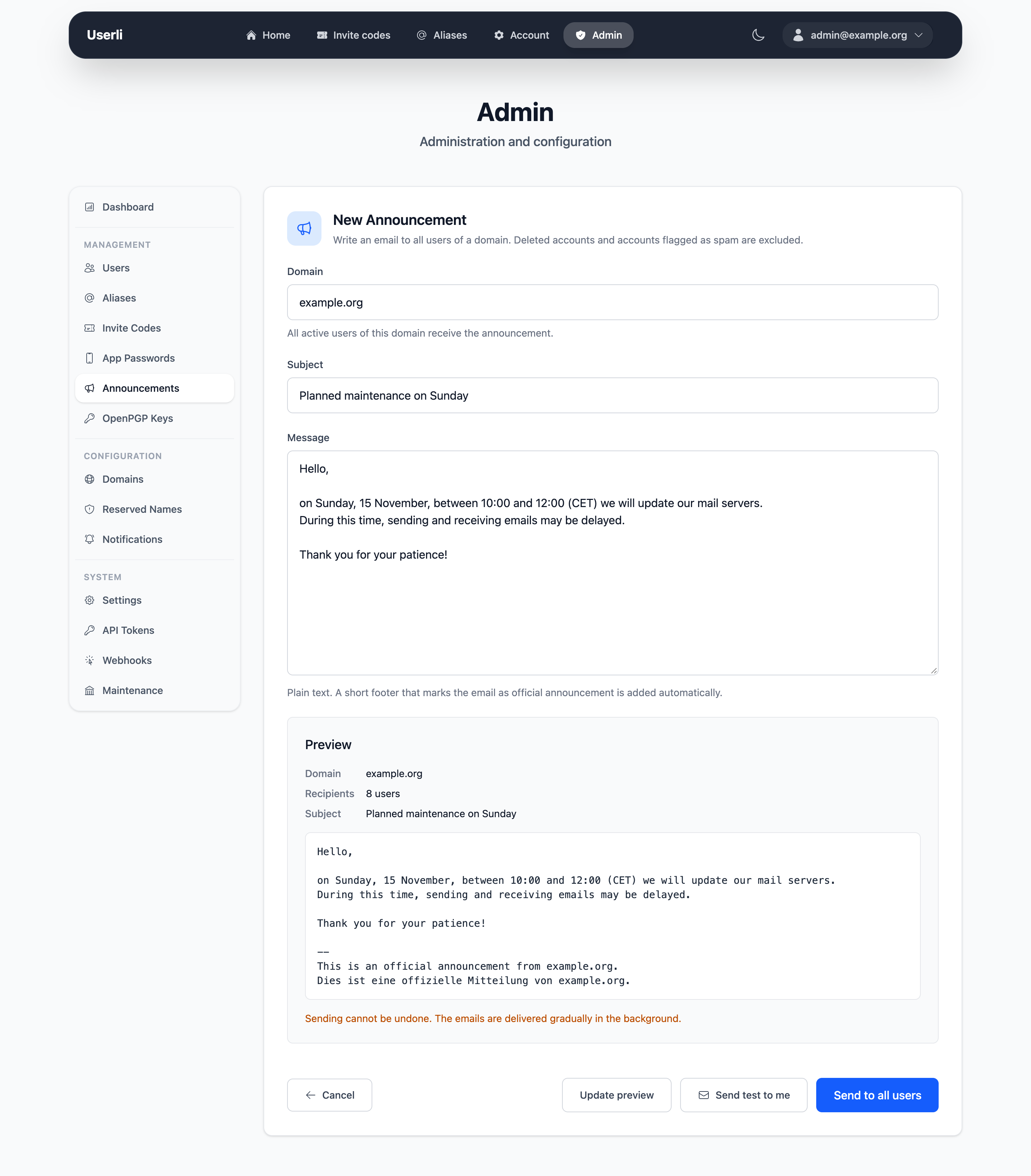
Management → Announcements sends an email to all active users of a domain, for example to announce maintenance or changes to the service. Admins choose the domain, domain admins can only write to the users of their own domain.
Recipients
All users of the domain receive the announcement, except
- deleted accounts and
- accounts with the role Spam.
Users who are deleted or flagged as spam after the announcement was sent, but before their email went out, are skipped as well.
Writing an announcement
- Click New Announcement, choose the domain (admins only) and write subject and message. The message is sent as plain text.
- Click Preview. The preview shows the email as users will receive it and the number of recipients. Userli adds a footer in English and German that names the sender: for admins the project (setting Project name), for domain admins the admins of their domain.
- Optionally, click Send test to me to receive the email at your own address.
- Click Send to all users. If you changed the text after the preview, you have to check the updated preview first. Each preview can be sent only once, so submitting the form twice doesn't send the announcement twice.
Sending can't be undone. Sent announcements are listed with author, number of recipients, delivery progress and status:
| Status | Meaning |
|---|---|
| Queued | The announcement is saved, the worker has not picked it up yet. |
| Delivering | The worker is sending the emails. The delivery column shows how many emails are sent, not sent and still pending. If the worker is interrupted, it continues where it stopped. |
| Sent | Every email is either sent or not sent. |
| Failed | The worker could not queue the emails, even after several retries. Emails queued before the failure are still delivered, the others are not. Check the worker logs and send the announcement again to the missing users if needed. |
Emails are not sent to users who were deleted or flagged as spam after the announcement was created, and when the mail server rejected an email even after several retries. Users who register while the announcement is being sent may or may not receive it.
Delivery
The emails are sent in the background by the worker,
from the sender address. To avoid overloading
the mail server, at most Announcement mails per minute emails are sent per
minute (default 60, see Settings). An
announcement to 6000 users therefore takes about 100 minutes. The limit applies
to all announcements together: a new announcement starts after the emails still
pending from earlier ones.