MailCrypt
Userli has built-in support for Dovecot's mailbox encryption, using the global keys mode. Each user has their own key pair. New emails are encrypted with the public key when they are stored. Only with the user's password – or recovery token – can the private key be unlocked to read them.
Keys are created and maintained by Userli and handed over to Dovecot by the Lua adapter on each login.
What it protects – and what not
- Protected: emails at rest on the mail server's disk and in backups. An attacker who gets the files, or an admin who browses them, can't read them without the user's password.
- Not protected: emails in transit, Dovecot's index and cache files (they can contain metadata such as senders and subjects), folder names, sizes and timestamps, and emails while the user is logged in. The server sees the plain password at login, so an attacker who controls the running server can read the mailbox.
- Consequence: if a user loses both password and recovery token, the emails are lost. Admins can't recover them.
Configuration
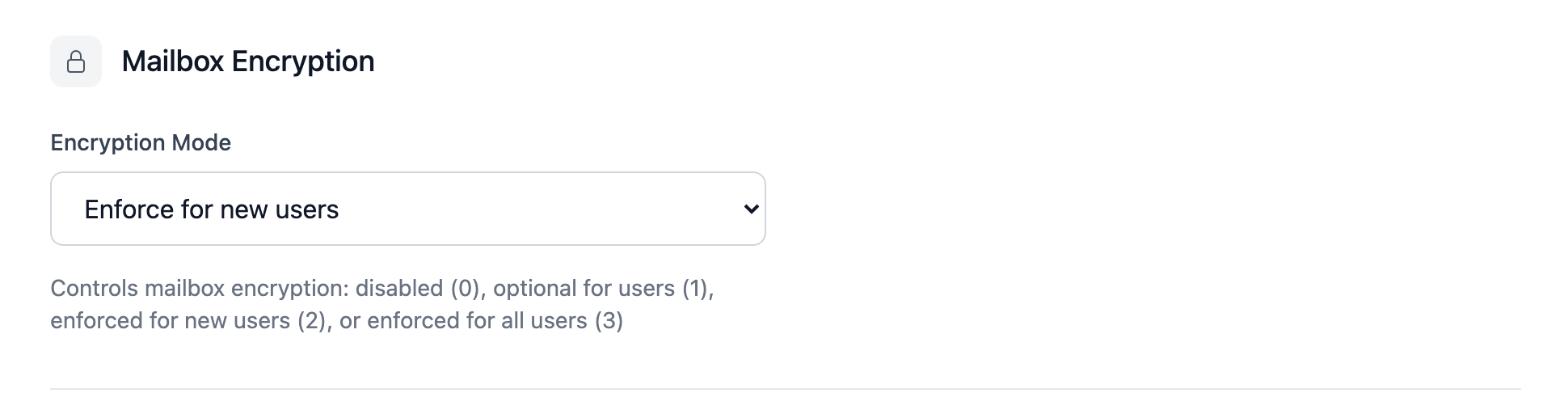
MailCrypt is configured globally in the admin interface under
Admin → Settings → Mailbox Encryption (setting mail_crypt, default 2):
| Value | Meaning |
|---|---|
0 |
Disable MailCrypt globally |
1 |
Allow MailCrypt; keys are created, but it needs to be enabled manually per user |
2 |
Enforce MailCrypt for new users (recommended) |
3 |
Enforce MailCrypt key generation for all users – see migrating legacy users |
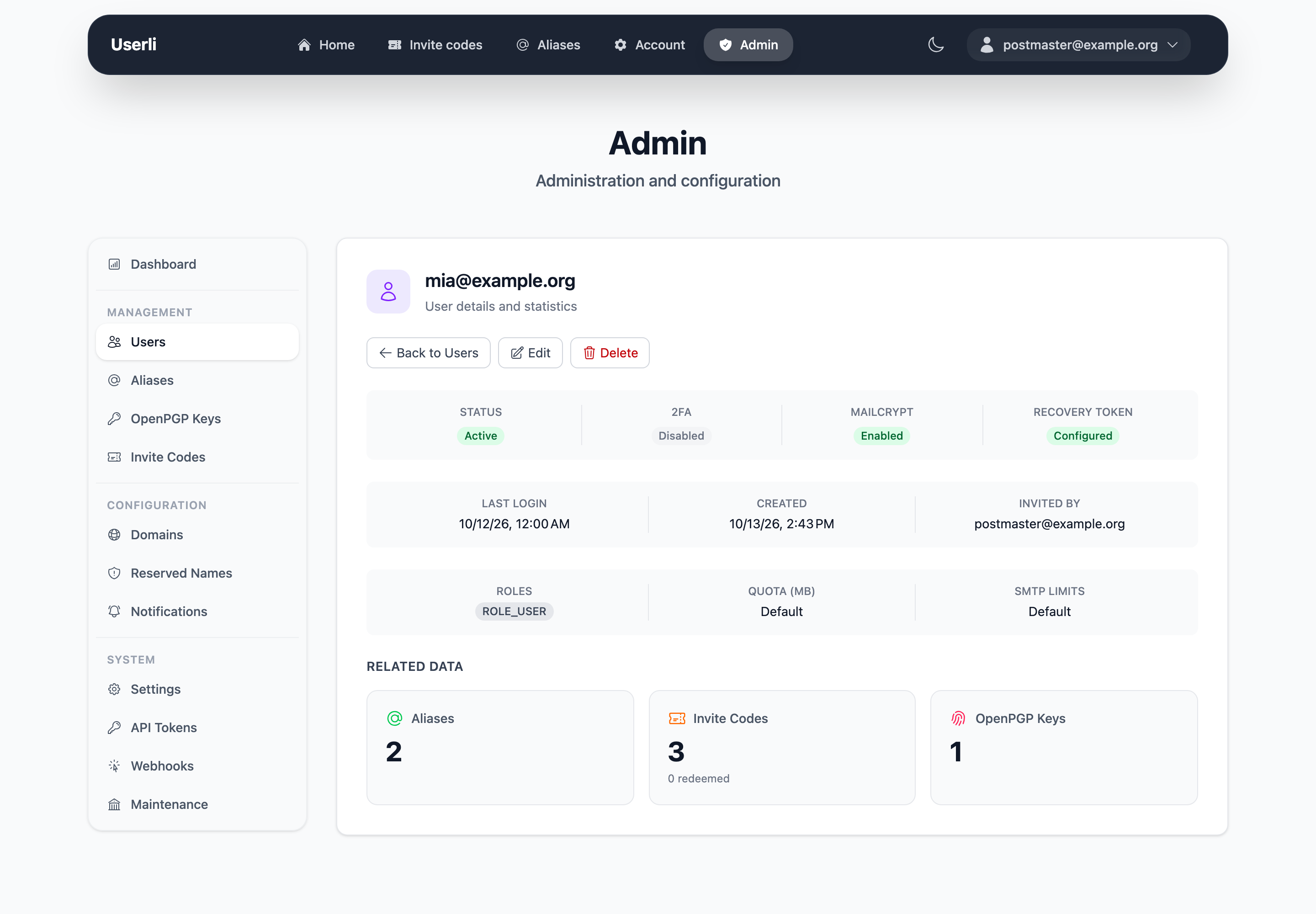
The admin interface shows for every user whether MailCrypt is enabled:
MailCrypt can be turned on/off for individual users with the mail_crypt
column in the users database table. This is mainly meant as migration path
for legacy users without MailCrypt keys. On new setups, keep MailCrypt enabled
for all users.
Effects on account management
| Action | Effect on encrypted emails |
|---|---|
| User changes password | Private key is re-encrypted. Emails stay readable. |
| User recovers account with recovery token | Private key is unlocked with the token and re-encrypted. Emails stay readable. |
| Admin sets a new password | New key pair. Existing emails become unreadable. |
| Admin restores a deleted user | New key pair. Old emails are unreadable. |
Implementation details
Userli uses elliptic curve keys with curve secp521r1, created with the
openssl command line tool. The private key is encrypted with an Argon2i
hash of the user's password, stored in a libsodium secret box.
A second copy of the private key is encrypted with an Argon2i hash of the user's recovery token. It is used when a user restores their account after they lost their password.
Migrating legacy users
Legacy users (without MailCrypt keys) continue to work without mailbox encryption. If they generate a recovery token in the account settings, a MailCrypt key pair is created for them. This doesn't enable MailCrypt for them automatically, because this would result in accounts with partially unencrypted (old) and partially encrypted (new) emails. Enabling it is left to the server operators.
To enable MailCrypt for a legacy user:
- Ensure that they have a recovery token. This automatically creates a MailCrypt key pair. Only the account holder can do this, as the password is required.
- Set
mail_crypt=1for the user in theusersdatabase table.
To enforce MailCrypt for all legacy users:
- Set the MailCrypt setting to
3. A key pair is created automatically when legacy users log in the next time. Again, the user password is required for this. - Set
mail_crypt=1for all users that have a key pair but MailCrypt not enabled yet, for example with a regular cron job.
Existing emails are not encrypted. They stay unencrypted, and only new emails are stored encrypted.
The following SQL statement enables MailCrypt for all legacy users that have a key pair. Use with caution!
UPDATE users SET mail_crypt=1 WHERE mail_crypt_secret_box IS NOT NULL AND mail_crypt = 0;
Command line
Get the MailCrypt values of a user (requires the user's password):
bin/console app:users:mailcrypt --user user@example.org