Aliases
Management → Aliases lists the aliases of all users. Domain admins only see the aliases of their own domain.
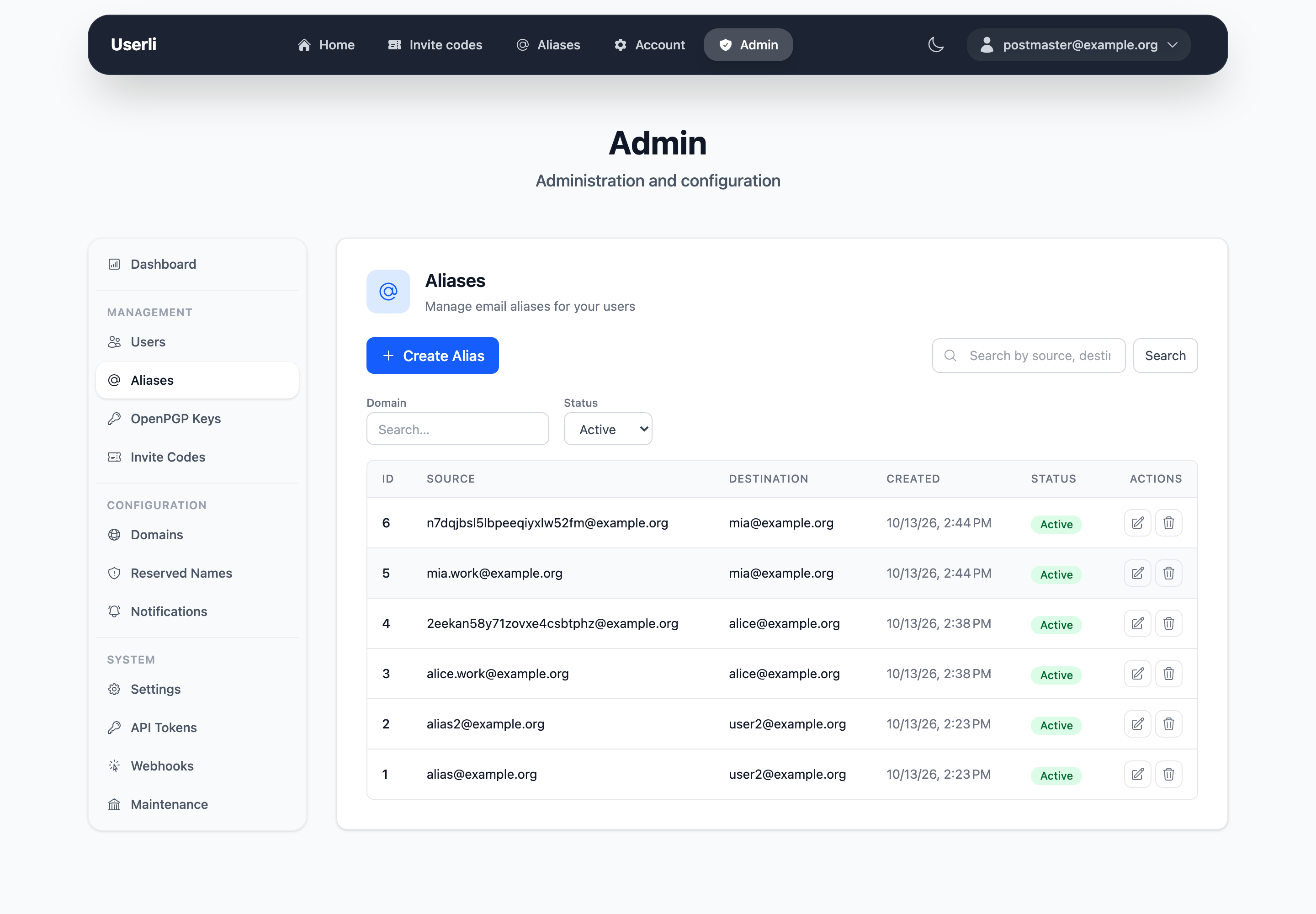
An alias forwards emails from a source address to a destination address. Users create aliases themselves (see Aliases in the User Guide):
- up to 3 custom aliases, which they can't delete themselves,
- up to 100 random aliases, which they can delete at any time.
Filter the list by domain and status (active or deleted).
Create and edit aliases
Admins can create aliases with any source on a managed domain and
- assign them to a user – emails go to that user, or
- set a free destination address – for example to forward to an external mailbox or a mailing list,
- set SMTP quota limits for the alias.
Domain admins can create aliases in their own domain and assign them to a user. They can't set a free destination or quotas.
Warning
When a domain admin saves an alias with a free destination, the destination is replaced by the assigned user. Ask an admin to edit such aliases.
Delete aliases
Delete aliases with the delete action, for example when a user asks to remove a custom alias. A deleted address is blocked and can't be registered or used as an alias again.
The CLI command bin/console app:alias:delete does the same, see
Console commands.
postmaster@ and abuse@
postmaster@ and abuse@ addresses for all domains are configured globally
under Settings → RFC Email Addresses. If set,
they take precedence over aliases with the same address.