Users
Management → Users lists all accounts. Domain admins only see the accounts of their own domain.
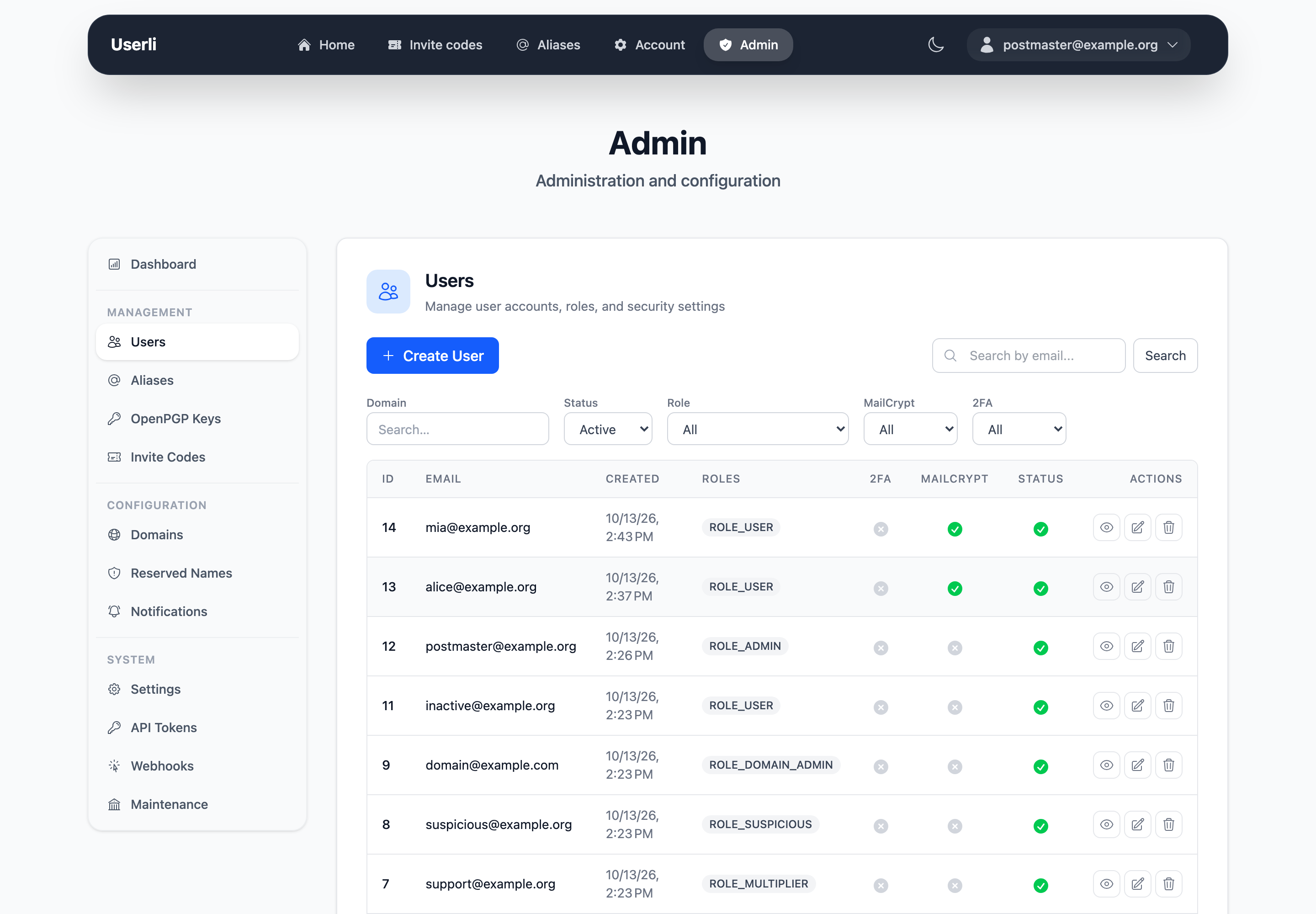
- Search by email address.
- Filter by status (active, deleted, all), role, MailCrypt, two-factor authentication and domain.
- The list shows roles, whether 2FA and MailCrypt are enabled and whether the account is deleted.
- Actions per row: show, edit, delete – or restore for deleted accounts.
Show a user
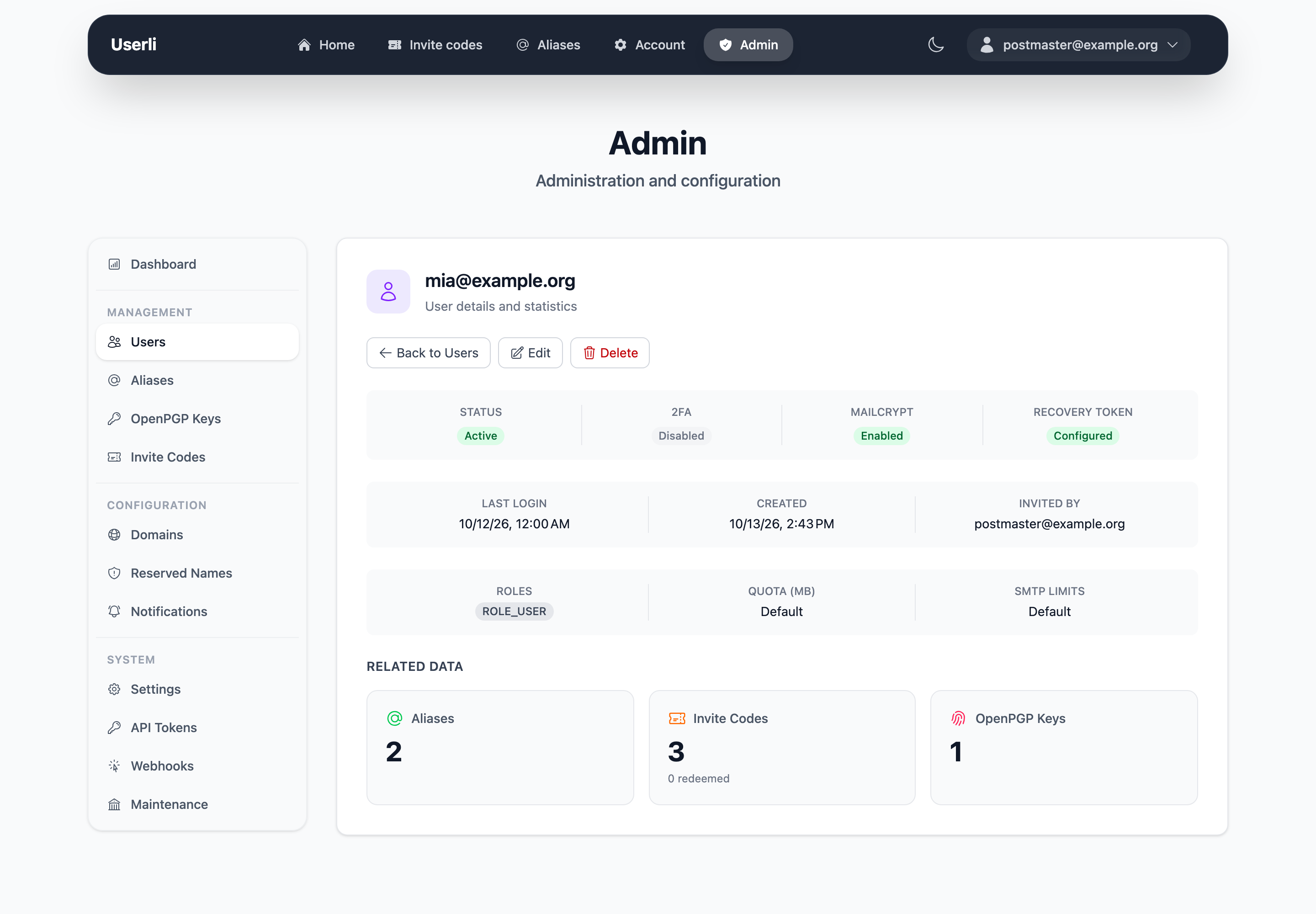
The detail page shows roles, status, MailCrypt and 2FA state, creation and last sign-in date, and the number of aliases, invite codes, redeemed invite codes and OpenPGP keys. It also warns if the user's password was found in a data breach recently.
Create a user
Click Create and fill in:
| Field | Description |
|---|---|
| Full address. The domain must exist. Domain admins can only use their own domain. Can't be changed later. | |
| Password | At least 12 characters, not found in known data breaches. |
| Roles | See Roles and permissions. User is always added. |
| Quota | Optional mailbox size limit in MB. Passed to Dovecot. Empty means no limit. |
| SMTP quota limits | Optional maximum number of emails per hour and per day (admins only). Empty uses the global default. |
| Password change required | The user must choose a new password at the next sign-in. Always set for new users. |
Users created in the admin interface:
- must change the password before they can use email (web, IMAP, SMTP),
- get mailbox encryption keys if MailCrypt is enforced
(setting
mail_crypt≥ 2), - don't have a recovery token yet – ask them to create one,
- don't receive a welcome email and don't trigger the
user.createdwebhook.
Tip
For self-registration, create an invite code instead and send the user the registration link.
Edit a user
The same fields as above, except the email address. Additionally:
- Two-factor authentication: uncheck to turn off 2FA for a user who lost their phone and backup codes.
Set a new password
Enter a password only if the user can't help themselves – they lost both their password and their recovery token.
Encrypted emails are lost
If the user has MailCrypt keys, setting a new password resets the account:
- new MailCrypt keys are generated – all existing emails become unreadable,
- a new recovery token is created and shown to you once – pass it on to the user securely,
- two-factor authentication is turned off,
- the
user.resetwebhook is sent.
The user has to change the password at the next sign-in.
Delete a user
Deleting is a soft delete. The account remains in the database so that the address can never be registered again, but:
- the password is replaced by a random one, recovery token and MailCrypt keys are erased,
- all aliases of the user are deleted,
- unused invite codes and notifications are removed,
- the published OpenPGP key is removed,
- the
user.deletedwebhook is sent.
The mailbox on the mail server is not deleted by Userli. Your server operator can do this with the mailbox janitor.
Restore a user
Filter by status deleted and click restore on a deleted account. Set a new password. Userli
- reactivates the account,
- creates new MailCrypt keys and a new recovery token (shown once),
- sends the welcome email.
Old encrypted emails can't be read anymore and aliases are not restored.