OpenPGP keys
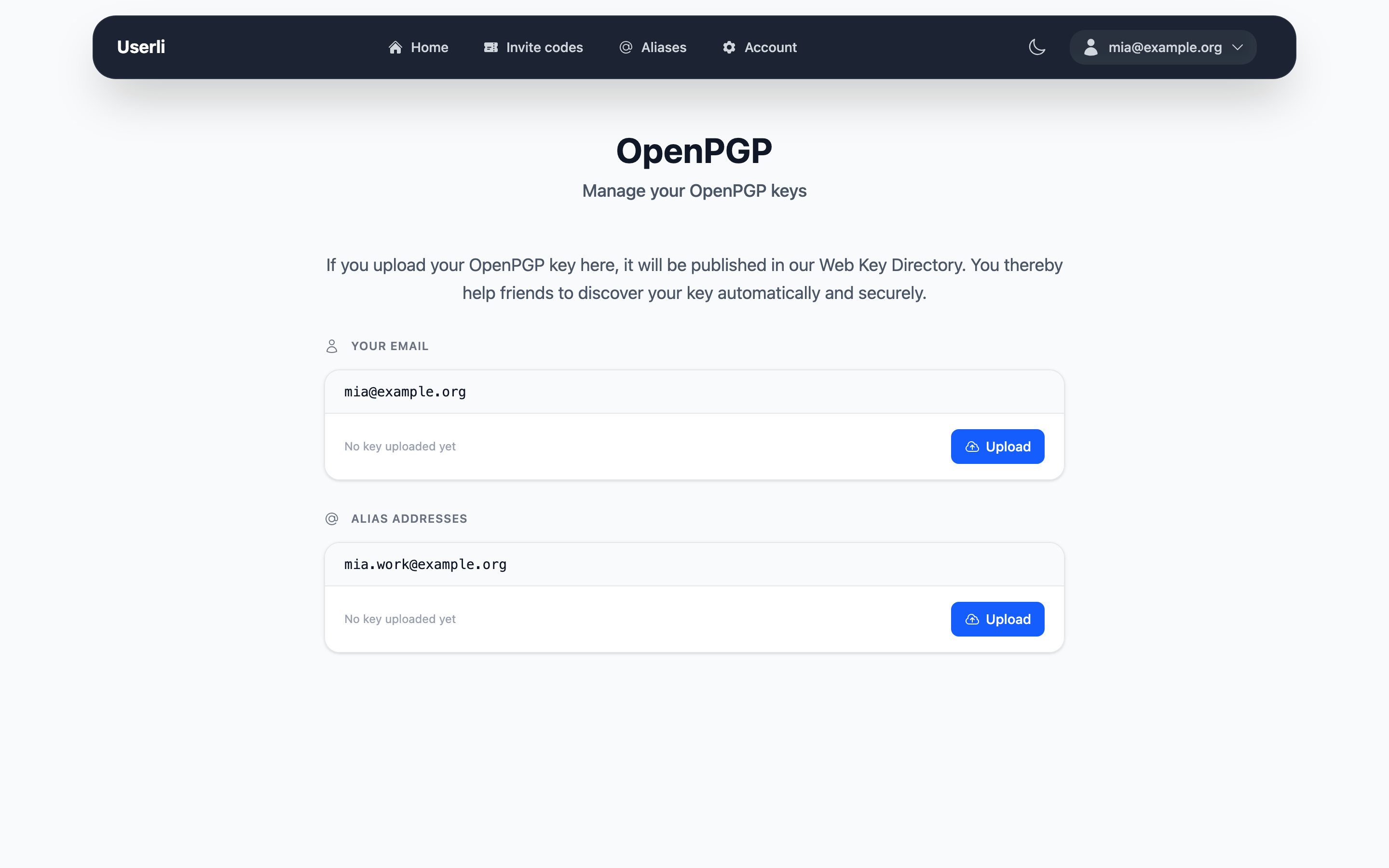
OpenPGP lets people encrypt emails so that only the recipient can read them. To send you an encrypted email, others need your public key.
If you upload your public key to Userli, it is published in the Web Key Directory (WKD) of your provider. Email programs such as Thunderbird, GnuPG or K-9 Mail with OpenKeychain then find your key automatically when someone writes to you.
Note
Only upload your public key. Never share your private key.
Publish a key
- Go to Account settings → OpenPGP Keys.
- Find the address – your own address or one of your custom aliases – and click Upload.
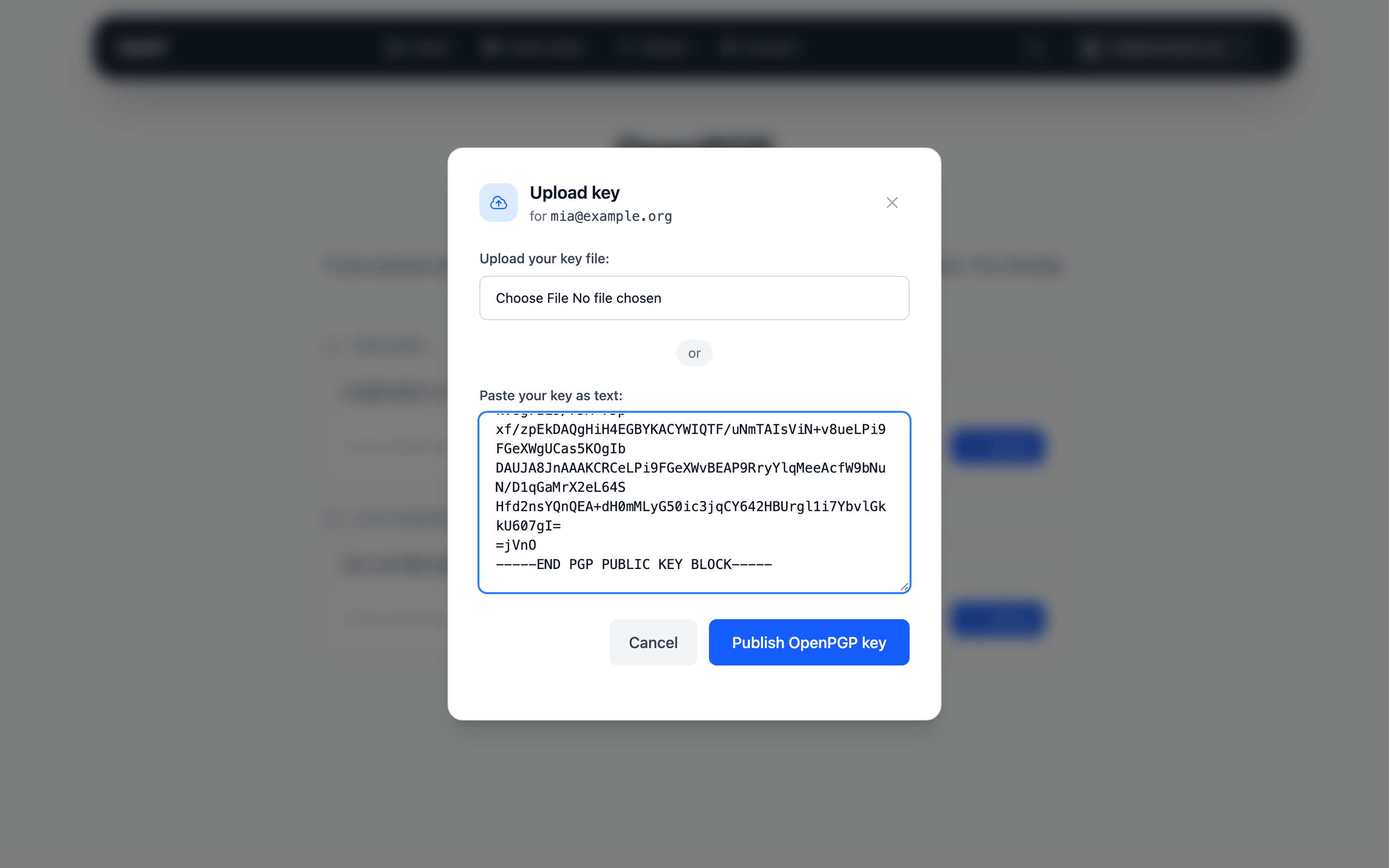
- Either choose your key file (up to 4 MB) or paste the key as text (it starts
with
-----BEGIN PGP PUBLIC KEY BLOCK-----). - Click Publish OpenPGP key.
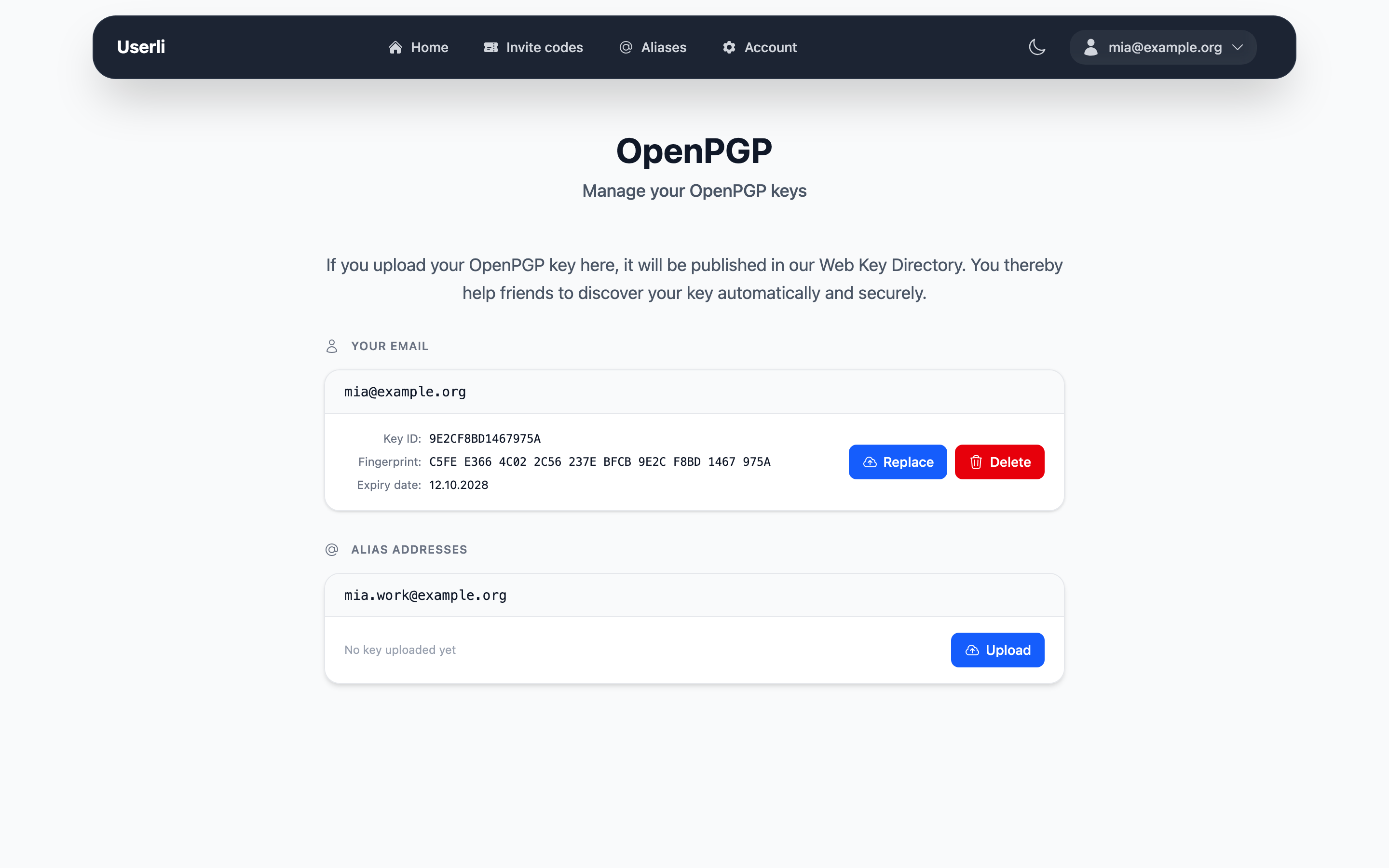
The uploaded data must contain exactly one key for that address. Afterwards the card shows the key ID, the fingerprint and the expiry date.
To export your public key with GnuPG:
gpg --export --armor you@example.org > publickey.asc
Replace or delete a key
- Replace: click Replace and upload the new key, for example after extending its expiry date.
- Delete: click Delete, enter your password and confirm. The key is removed from the Web Key Directory.
Keys can be published for your own address and for custom aliases, not for random aliases.